Google Business Profile Optimization: The Complete Guide for Local Businesses
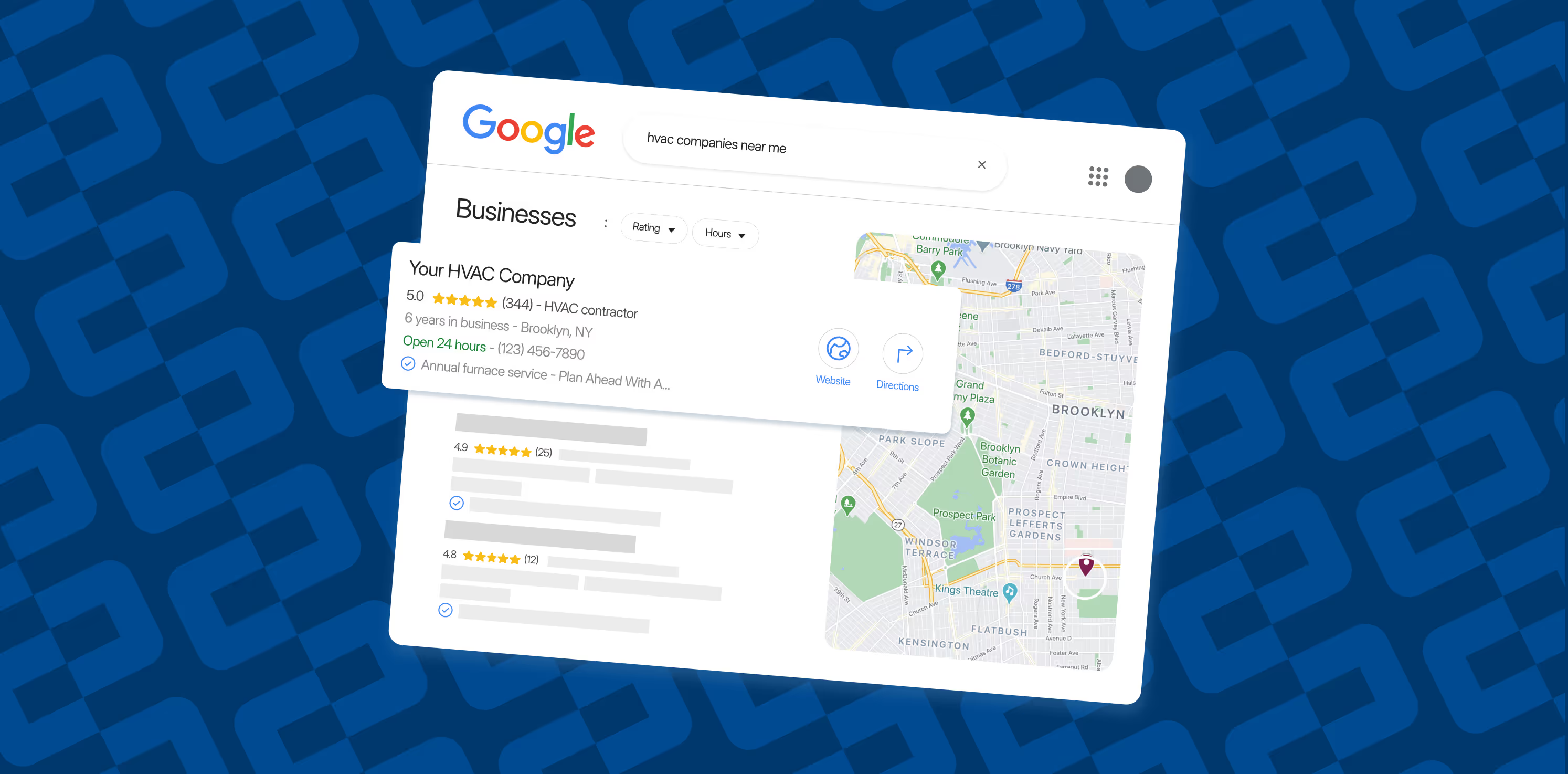
Your Google Business Profile is the single most visible piece of your online presence. When someone searches “painter near me” or “HVAC repair Cincinnati,” Google pulls from GBP listings to fill the local map pack. Those are the three results that sit above everything else on the page. If your profile is incomplete, outdated, or poorly managed, you are handing those leads to your competitors.
This guide walks through exactly how to set up, fill out, and maintain a Google Business Profile that ranks higher and converts more searchers into paying customers.
What Is a Google Business Profile (and Why It Matters More Than Your Website)?
A Google Business Profile (GBP), formerly called Google My Business, is a free listing that controls how your business appears across Google Search and Google Maps. It includes your business name, address, phone number, hours, photos, reviews, and more.
Here is why it matters: nearly 46% of all Google searches have local intent. When those searches happen, Google does not send users to a website first. It shows them the local map pack with reviews, hours, and a click-to-call button. That map pack captures the majority of clicks for local queries.
For home service businesses like painters, roofers, HVAC techs, cleaners, and plumbers, this is where leads start. A strong GBP gets you phone calls before a prospect ever visits your site.
How Google Ranks Local Business Profiles
Google uses three core factors to determine which businesses show up in the map pack:
- Relevance — How closely your profile matches what the searcher is looking for. This comes down to your primary category, business description, services listed, and the content on your website.
- Distance — How far your business is from the searcher (or the location they typed in). You cannot fake proximity, but you can strengthen every other signal so you win when distance is equal.
- Prominence — How well-known your business is. Google measures this through review count and quality, backlinks to your website, local citations, and overall web presence. A business with 200 genuine reviews and a well-built website will outrank one with 10 reviews and a one-page site, even if they are the same distance from the searcher.
How AI Overviews and Local Search Are Changing
Google’s AI Overviews are expanding into local search results. For service-area businesses, this means your GBP data increasingly feeds directly into AI-generated responses. When someone asks Google “best painter near me” and an AI Overview answers, it is drawing from your GBP profile.
What this means practically:
- Your business description, services, and reviews are now source material for AI responses that prospects see before clicking anything
- Businesses with complete, well-written GBP profiles are more likely to be featured accurately in AI Overviews
- Review count and quality affect whether the AI presents your business as a top recommendation
Google’s official documentation on how business information is used in Search and AI Overviews is available at https://support.google.com/business/topic/9258438.
Step-by-Step: Optimizing Your Google Business Profile
Claim and Verify Your Listing
Verification is where most businesses hit their first major wall. Go to business.google.com and search for your business. Google offers verification via postcard, phone, email, or video chat depending on your business type.
Here is what most guides do not tell you: getting the profile live is the hardest part because if you make a mistake, you can get suspended and have to work through Google appeals process. A suspended profile means your business disappears from the map entirely while you wait for reinstatement, sometimes weeks.
Common suspension triggers include:
- Inconsistent NAP information across different listings or directories
- Using a business name with keywords stuffed in (e.g., “Cincinnati Best Painting Company” instead of your actual business name)
- Address discrepancies between your website and your GBP
- Too manyGBP edits in a short period, which looks like spoofing to Google’s systems
If you get suspended, do not panic. The appeals process at https://business.google.com/u/0/recovery usually resolves within 5 to 10 business days if you can demonstrate you control the business.
Choose the Right Primary Category
Your primary category is the single most influential ranking factor for local search. Get specific.
Good examples:
- A residential painting company should choose “Painter,” not “Contractor”
- An HVAC company should pick “HVAC Contractor,” not “Home Services”
- A house cleaner should select “House Cleaning Service,” not “Cleaning Service”
If your business is seasonal, you can swap categories based on demand. A landscaping company might switch from “Landscaper” in summer to “Snow Removal Service” in winter.
Add secondary categories that accurately reflect your other services, but do not overdo it. Each additional category should represent a real, distinct service you provide.
Fill Out Every Single Field
Google rewards complete profiles. That means:
- Business name: Use your real, legal business name. Do not stuff keywords into it (Google will suspend you for that).
- Address: Display it if you have a physical location. Even service-area businesses benefit from a visible address when possible.
- Phone number: Use a local number, not a toll-free 800 number. Local numbers reinforce geographic relevance.
- Website URL: Link to your homepage or a relevant landing page.
- Hours of operation: Keep these accurate, including holiday hours. Outdated hours frustrate customers and hurt trust.
- Business description: Write a clear, 750-character description that explains what you do, who you serve, and where you operate. Use your primary keyword naturally within the first two sentences.
- Services: List every service you offer with a short description for each. This is a direct ranking signal.
Upload High-Quality Photos and Videos
Profiles with 100 or more photos get significantly more engagement: more calls, more direction requests, more website clicks. That is not a theory. It is what the data shows.
What to upload:
- Exterior shots of your business or wrapped vehicles
- Interior photos (for businesses with a physical location)
- Team photos, because real people build trust
- Before-and-after project photos (especially powerful for home services)
- Short videos showing your team at work
What to avoid:
- Stock photos. Google and customers can tell the difference.
- Low-resolution or blurry images
- Photos with heavy text overlays
Upload new photos regularly. A profile that has not been updated in six months looks abandoned.
Build a Consistent Flow of Reviews
Reviews are one of the strongest ranking factors for local search, but raw volume is not enough anymore. Google now weighs review recency heavily. A business that gets 5 reviews per week will outrank one that got 100 reviews two years ago and nothing since.
How to build review momentum:
- Ask every customer after a completed job. Text-based review requests with a direct link to your GBP convert best.
- Build it into your workflow. If you use a CRM or invoicing tool, automate a follow-up message.
- Respond to every review, both positive and negative. For positive reviews, a short thank-you works. For negative reviews, acknowledge the issue and offer to make it right. How you handle criticism matters more to prospects than the criticism itself.
What NOT to do:
- Do not buy reviews. Google’s fake review detection has gotten aggressive, and penalties include profile suspension.
- Do not ask for reviews in large batches. A sudden spike of 30 reviews in one week looks suspicious.
Use Google Posts Regularly
Google Posts appear on your profile in Search and Maps. They expire after 7 days, so consistency matters.
Post ideas:
- Recent project completions with a photo
- Seasonal promotions or limited-time offers
- Tips relevant to your industry (“3 Signs Your Roof Needs Attention Before Winter”)
- Company news like new hires, awards, or community involvement
Include a call-to-action in every post: “Call for a free estimate,” “Book online today,” or “Learn more on our blog.”
Keep Your NAP Consistent Everywhere
NAP = Name, Address, Phone Number. These details need to match exactly across your GBP, website, social media profiles, and every directory listing (Yelp, Angi, BBB, etc.).
Inconsistencies confuse Google and reduce your credibility. If your GBP says “123 Main Street” and Yelp says “123 Main St.,” that is technically a mismatch. Use the same exact formatting everywhere.
Track Performance with UTM Parameters
Add UTM tags to the website link in your GBP so you can see exactly how much traffic your profile drives. In Google Analytics 4, this shows up as a distinct source, letting you measure:
- How many website visits came from your GBP
- Which actions visitors took after clicking through
- Whether GBP traffic converts at a higher or lower rate than other sources
Example UTM link: yourwebsite.com/?utm_source=google&utm_medium=organic&utm_campaign=gbp
GBP Ranking Factors That Most Businesses Miss
Website Authority Matters
Your GBP does not exist in isolation. Google ties your profile to your website, and the authority of that site directly impacts your map pack rankings. Businesses that invest in local SEO content like service area pages, blog posts answering common questions, and location-specific landing pages consistently outrank those with thin websites.
A painting company with dedicated pages for “Interior Painting in Cincinnati,” “Exterior Painting in Mason, OH,” and “Cabinet Painting Services” sends stronger relevance signals than one with a single “Services” page.
Photos and Videos Are Engagement Signals
Google tracks how users interact with your profile. Profiles with more photos get more views, more clicks, and more calls. Videos autoplay in the Google Maps app, making them an attention-grabbing tool that most competitors are not using.
Review Keywords Help (But Not How You Think)
When customers mention specific services or locations in their reviews (“Great interior painting job in Hyde Park!”), those keywords help Google associate your business with those terms. You cannot control what customers write, but you can ask specific questions that nudge relevant responses: “How was your experience with our exterior painting service?”
EEAT Signals in Your GBP
Google’s quality rater guidelines emphasize Experience, Expertise, Authoritativeness, and Trustworthiness (EEAT). For home service businesses, your GBP should demonstrate these through:
- Experience: Real project photos, before-and-after shots, local area references in your description
- Expertise: Detailed service descriptions that show you know what you are doing
- Authoritativeness: Consistent NAP across the web, review count and quality, local media mentions
- Trustworthiness: Responding to reviews (both positive and negative), accurate business information, complete profile fields
Google’s official guidance on quality rating for local businesses is at https://support.google.com/websearch/topic/9258438.
Common GBP Myths to Ignore
- Geotagging photos improves rankings. It does not. Google has confirmed this has zero effect.
- Adding service areas boosts rankings. The service area field is informational only. It does not affect where you rank.
- Keyword-stuffing review responses helps SEO. It does not influence rankings. Reply to reviews for the customer, not the algorithm.
- You need to post daily. Weekly is enough. Consistency matters more than frequency.
Your GBP Optimization Checklist
- Claimed and verified your GBP listing
- Chosen a specific, accurate primary category
- Filled out every available field completely
- Uploaded 100 or more photos (exterior, team, project, before-and-after)
- Added at least one video
- Written a 750-character business description with primary keyword
- Listed all services with descriptions
- Set accurate hours including holiday hours
- Built a review request workflow into your job completion process
- Responding to every review within 48 hours
- Posting to GBP weekly with relevant content
- Verified NAP consistency across website and all directories
- Added UTM-tagged website link to GBP
- Connected GBP to your website with consistent business information
Ready to Optimize
Your GBP optimization checklist is the foundation of your local search presence. Done right, it puts your business in front of the people who are actively searching for your services right now.
The work compounds. Each review, each post, each updated photo builds on what is already there. And unlike paid ads, it does not stop working when you stop paying.
Start with the checklist above. Work through it top to bottom. Your competitors are probably still on step one.
Ready for more qualified leads?
Related posts

Local Citations for Home Service Businesses: What Still Matters in 2026
Google Business Profile Verification in 2026: How to Get Live Without Getting Stuck